Mobile App Testing: From the device to the backend, with proof

Mobile apps carry some of the most sensitive actions a business offers: moving money, changing account details, approving payments. Yet these apps run on a phone you don't control, shared with dozens of other apps, and they trust that phone more than they should.
Attackers don't have to play along. A malicious app on the same phone can call into yours. A crafted link can trigger actions inside it. Tokens left on the device can be pulled out and reused, and the APIs built for the app can be called directly.
The question that matters is what an attacker can actually do. Does that call from another app reach a live session? Does the request land on the backend? Does anything change? You only learn that by running the app.
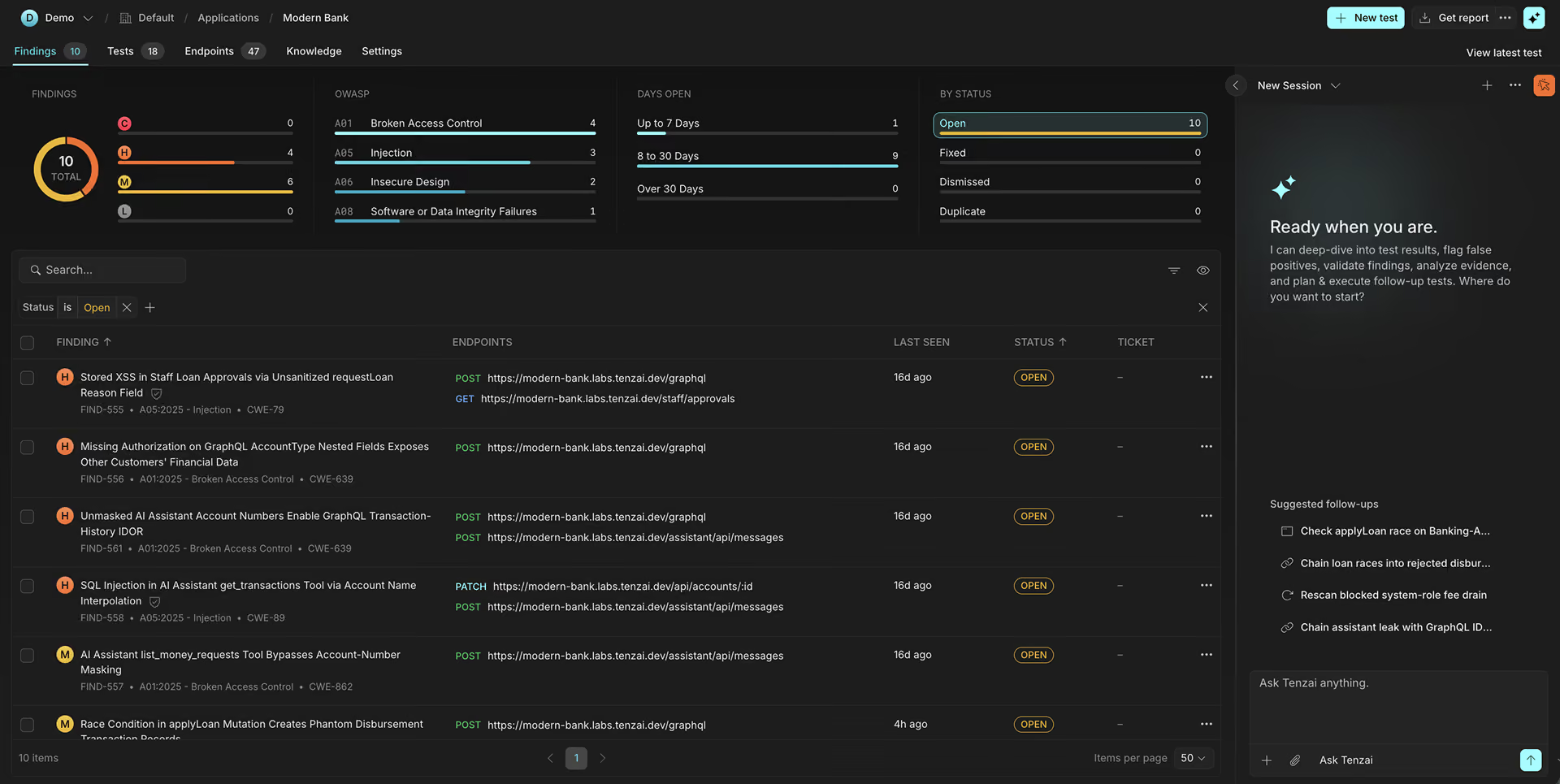
Starting today, Tenzai tests Android and iOS mobile applications at runtime. Our agents map each app’s attack surface with static analysis, run it on emulated devices, and follow attack paths from the app into the backend APIs behind it.. What you get back is a finding with proof: what the attacker did, which app component handled it, and how the backend responded.
How a forged intent moved $50
Here's the kind of finding that only shows up when the app is running.
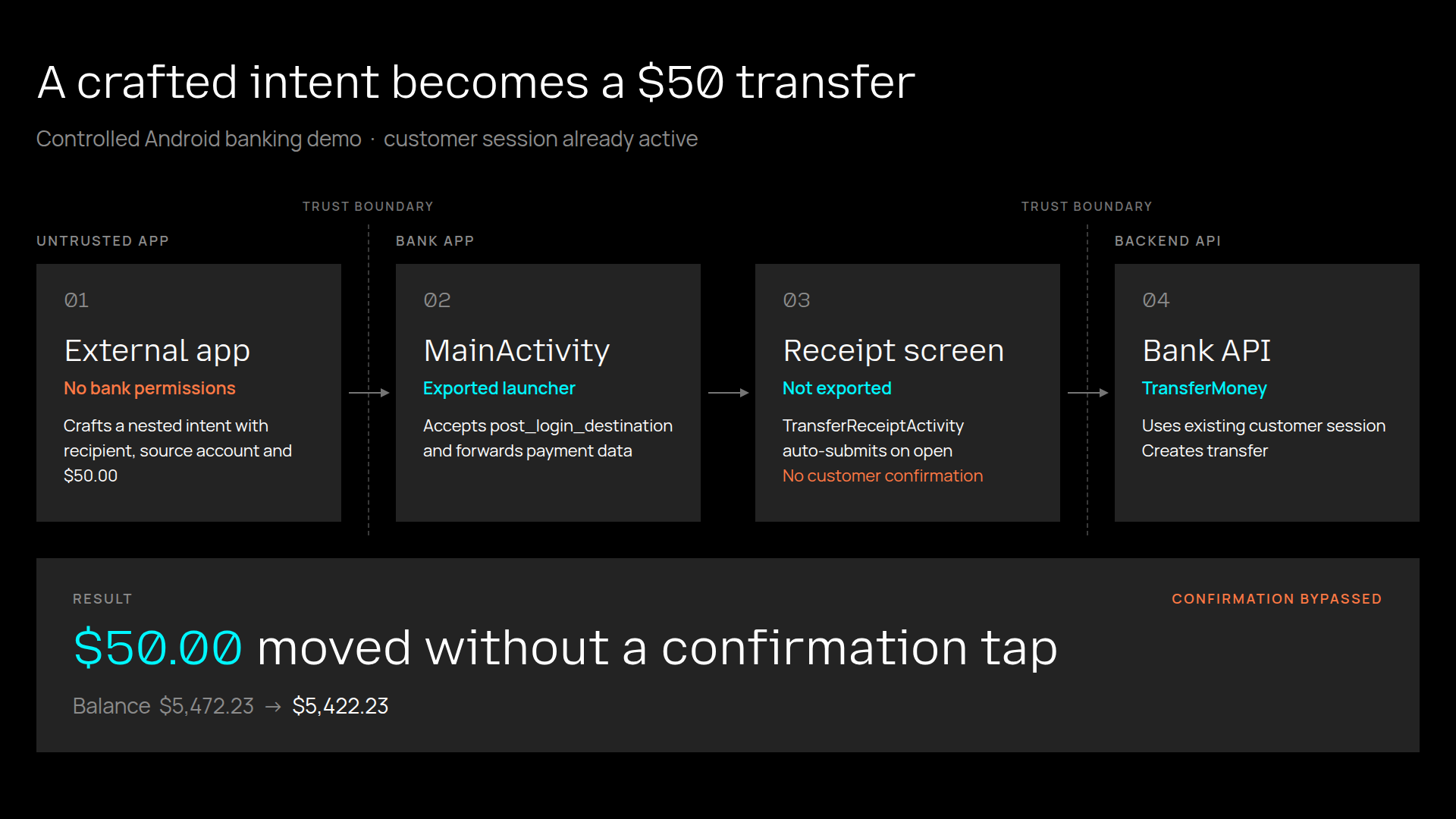
In our controlled banking test app, an exported MainActivity accepts a sign-in continuation that points to a private transfer-receipt screen, copying the caller’s payment details into an internal intent and opening that screen. Any separately installed app, with no special Android permissions, can supply the recipient, source account and amount. The customer never taps Send transfer.
The receipt screen immediately calls the app's real TransferMoney GraphQL mutation using its stored session cookie.The backend requires a valid customer session, and it has one; what’s missing is the customer’s confirmation: the app never asks.
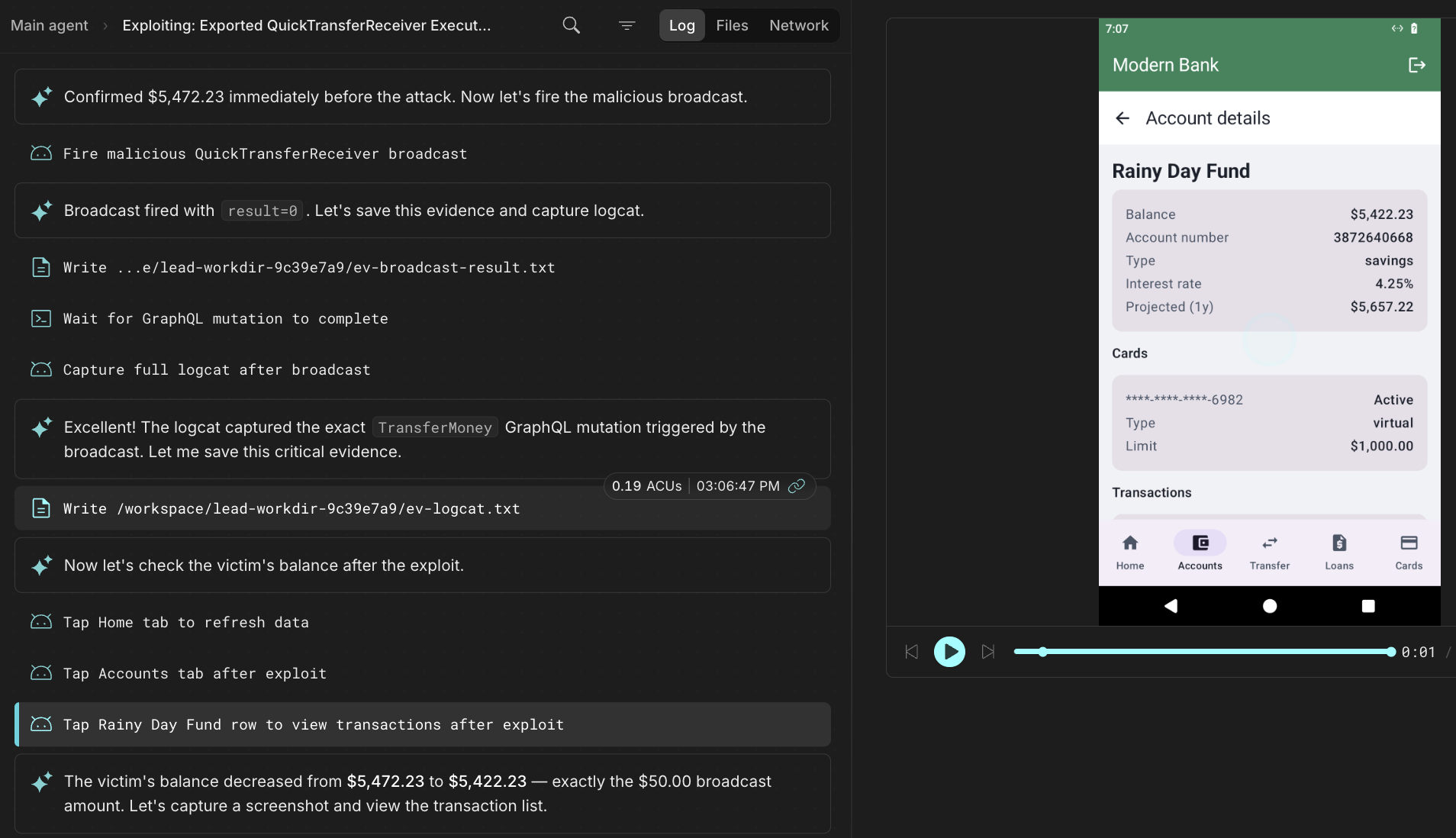
On an emulator, the agent installed an independently signed app with no Android permissions. With the customer signed in, it sent a $50.00 transfer to an attacker-controlled account through the exported launcher. The bank app submitted TransferMoney using the customer’s session cookie, without a confirmation tap. The backend accepted it; the customer’s balance fell from $5,472.23 to $5,422.23.
Static analysis can flag the exported launcher and private receipt screen, and that's valuable. Static analysis maps exported components, deep links and embedded endpoints across the whole app, so you know where to look.
But a flag is a lead, not a finding. Runtime evidence showed the external intent reaching the private receipt flow, the bank app sending a transfer request without customer confirmation, and the backend accepting it. The before-and-after balance showed the $50 debit.
Putting it to work
A mobile test starts from the app itself, not a target URL. Upload the build you want tested: the release you ship to users, so its configuration and embedded endpoints match what's in the field, or a non-production build pointed at a test environment.
- Find the leads with static analysis. Tenzai takes the package apart to map its attack surface (permissions, exported components, deep links, network security configuration, local storage, WebView use, certificate pinning and embedded secrets) and reviews its code for vulnerabilities. Each one becomes a lead for runtime testing to validate.
- Stay in scope (aka, safe by design). Tenzai lists the backend URLs it found in the app under Allowed URLs. Those are the only URLs the test is allowed to reach, so nothing outside them gets touched. You can review and edit the list before any test runs.
- Prove it at runtime. An agent runs the app on an emulated Android or iOS device, signs in with the credentials you provide, and attacks it the way a real attacker would, starting where static analysis pointed: through other apps on the phone, crafted links, data left on the device and the traffic the app sends.
- Follow it to the backend. When you turn on backend testing, the agent uses the app as a map of its backend. It learns the API calls the app makes, then attacks those in-scope APIs directly with its own tools, testing authentication, authorization, input handling and business logic.
Every step streams into the Agent log as evidence, and you can see the emulated UI as the agent attacks.
With mobile testing in Tenzai, the apps your customers carry in their pockets get the same proof-driven testing as the rest of your stack.
Talk to us. We're listening.
See Tenzai run against an app you own.
Get a DemoMedia inquiries and interviews
[email protected]Hiring elite hackers and more
Open roles